
Silver Hoof VR1.0.2 - Google Play
You'll be able to see results in few seconds.
Publisher Description
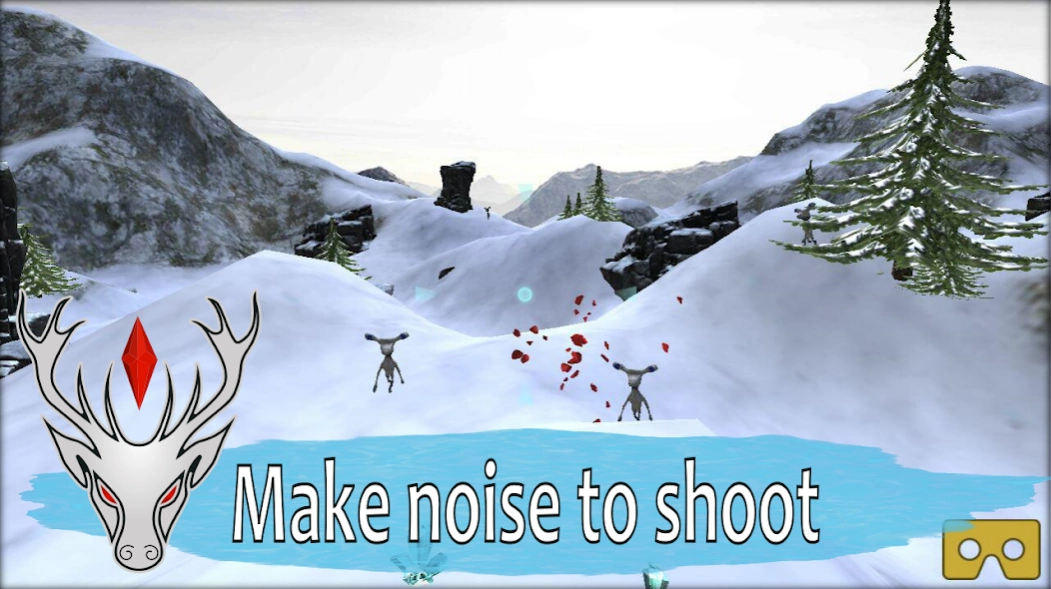


Shooting game for Cardboard with noise controls!
Always wanted to shoot down your enemies by making silly sounds? Here's your chance!
— Shoot gemstones by shouting, clapping or making other noise
— Try different sounds — see what happens!
— Terrain generating: unique landscape every time
— Two modes: play with or without cardboard
— For best experience please use audio headset
— NO ADS!
In this little game you play for a magical deer who strikes out precious stones with his hoof. His name is Silver Hoof and he comes from the tales of the russian writer Pavel Bazhov. Help Silver Hoof defend against mutants and their evil master who wants to enslave our little deer. For this task you have a magic crystal ring, but it needs to charge up. When mutants come too close, the ring turns them to crystal and loses some of its energy. Let the ring build up its charge — and you win!
This game was made for the Ural Game Jam 2
We use only anonymized analytics.
About Silver Hoof VR
The company that develops Silver Hoof VR is MiniGames Studio. The latest version released by its developer is 1.0.2.
To install Silver Hoof VR on your Android device, just click the green Continue To App button above to start the installation process. The app is listed on our website since 2016-12-21 and was downloaded 0 times. We have already checked if the download link is safe, however for your own protection we recommend that you scan the downloaded app with your antivirus. Your antivirus may detect the Silver Hoof VR as malware as malware if the download link to com.minigames.silverhoof is broken.
How to install Silver Hoof VR on your Android device:
- Click on the Continue To App button on our website. This will redirect you to Google Play.
- Once the Silver Hoof VR is shown in the Google Play listing of your Android device, you can start its download and installation. Tap on the Install button located below the search bar and to the right of the app icon.
- A pop-up window with the permissions required by Silver Hoof VR will be shown. Click on Accept to continue the process.
- Silver Hoof VR will be downloaded onto your device, displaying a progress. Once the download completes, the installation will start and you'll get a notification after the installation is finished.
Program Details
System requirements
Download information
Pricing
Version History
version 1.0.2
posted on 2016-12-21
Disclaimer
Official Google Play Link
We do not host Silver Hoof VR on our servers. We did not scan it for viruses, adware, spyware or other type of malware. This app is hosted by Google and passed their terms and conditions to be listed there. We recommend caution when installing it.
The Google Play link for Silver Hoof VR is provided to you by apps112.com without any warranties, representations or guarantees of any kind, so access it at your own risk.
If you have questions regarding this particular app contact the publisher directly. For questions about the functionalities of apps112.com contact us.
